> ## Documentation Index
> Fetch the complete documentation index at: https://danswer-mintlify-deep-research-1773355783.mintlify.site/llms.txt
> Use this file to discover all available pages before exploring further.
# Discourse
> Access knowledge from your Discourse **Topics**
## How it works
The Discourse connector indexes documents from your Discourse **Topics**.
## Setting up
### Authorization
Log into your Discourse account
This Discourse user must have admin privileges
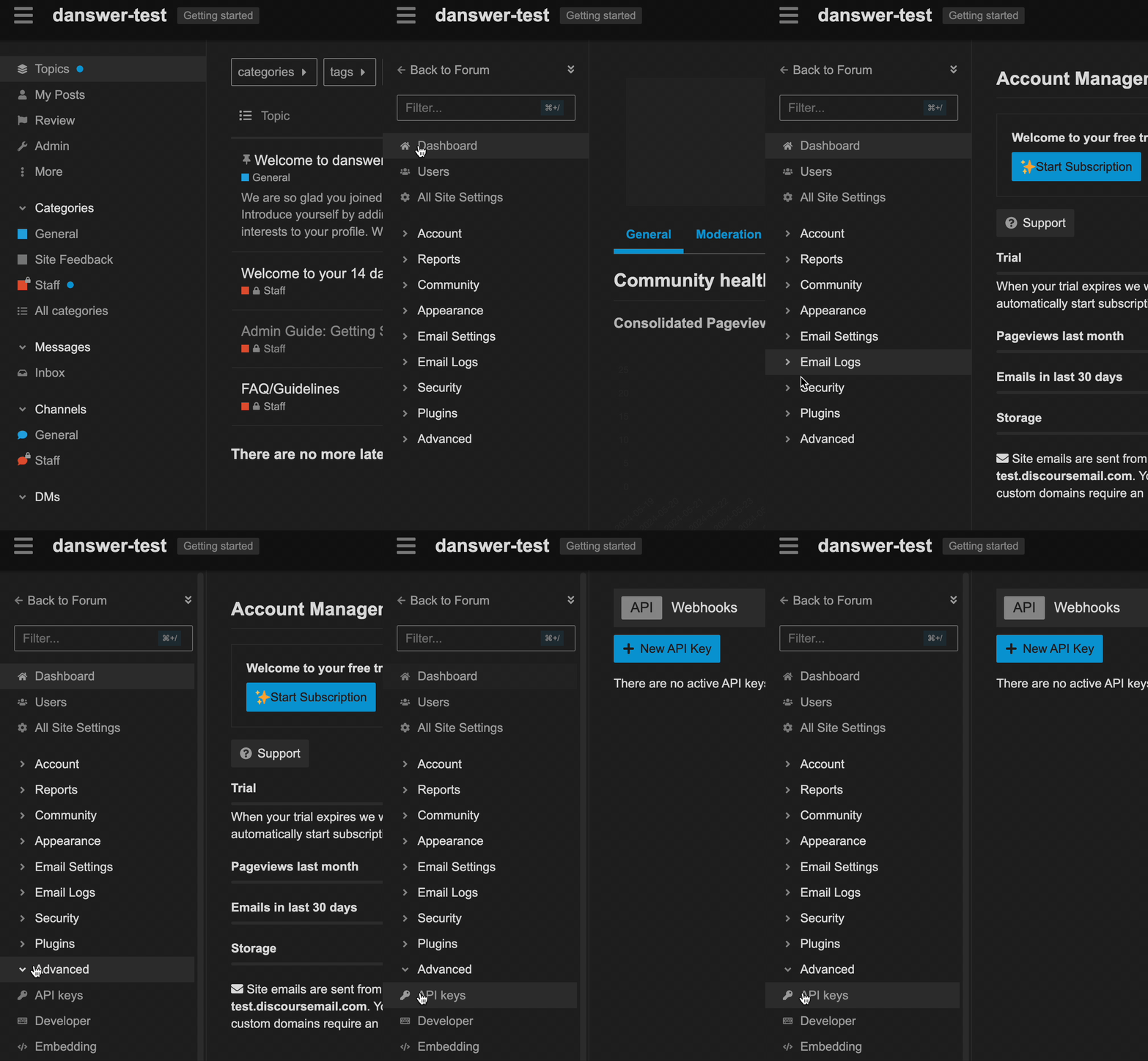
Click the **Admin** menu from the home page. Open the **Advanced** sub-menu and select **API keys**.
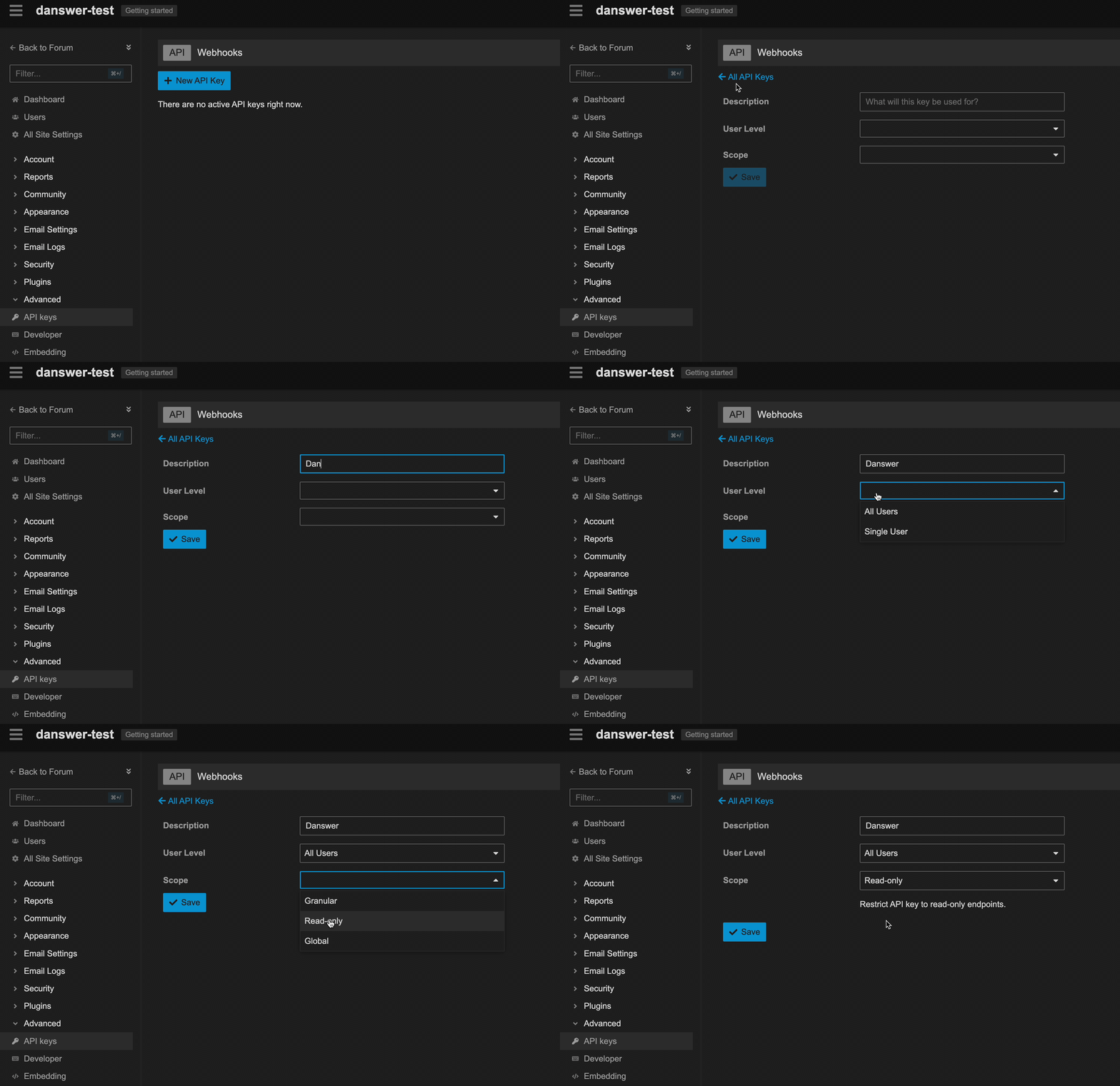
 Click **New API Key**, name it "Onyx". Select "All Users" for **User Level** and "Read-only" for **Scope**.
 Click **Save**. Copy the key and put it into Onyx.
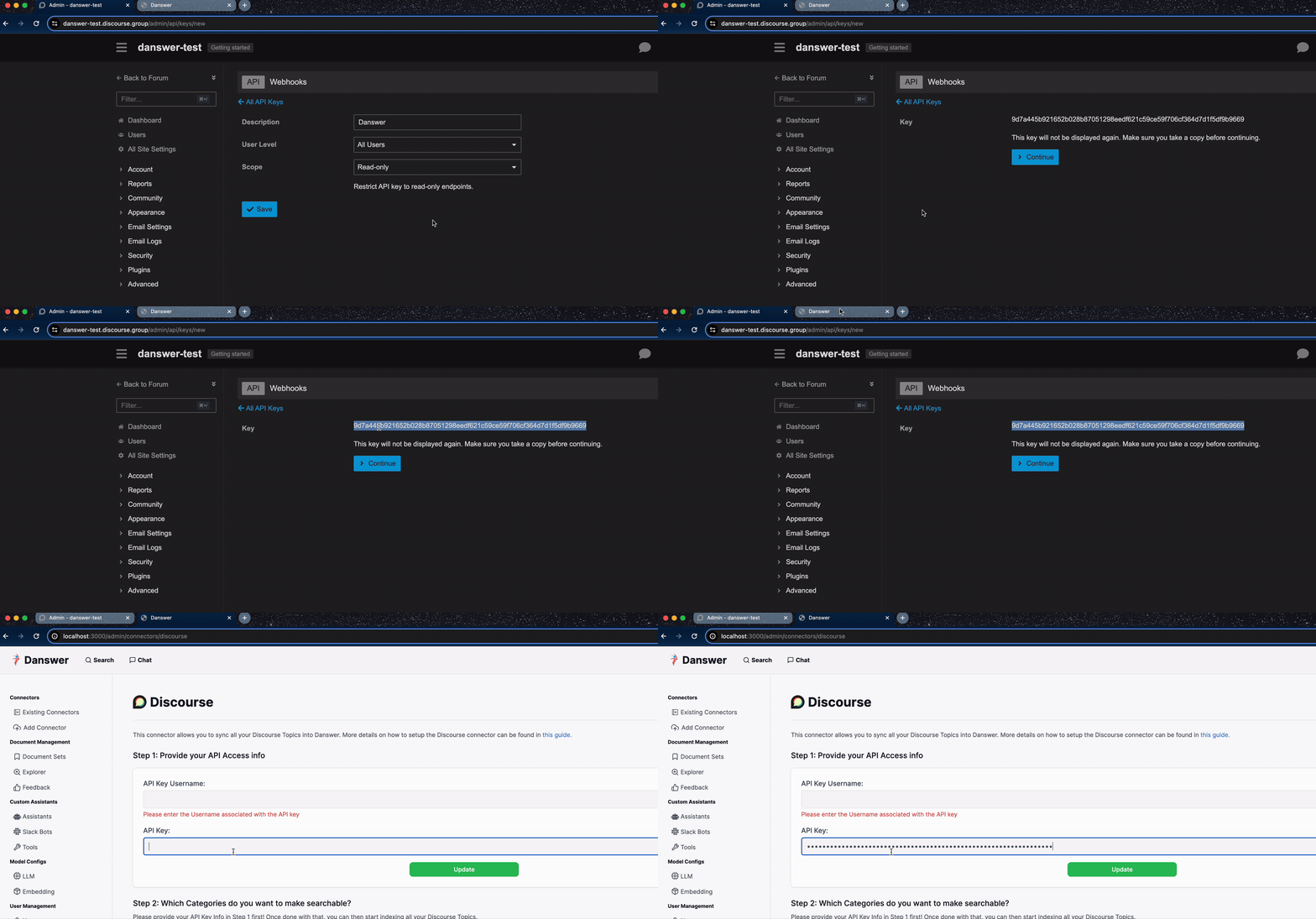 For the API Key Username,
enter the username of the Discourse account which has access to the information you'd like to index.
### Indexing
Input a name for a connector (if you plan on creating multiple Discourse connectors,
this will be used by you to tell between them)
Provide your Discourse's base url.
For the API Key Username,
enter the username of the Discourse account which has access to the information you'd like to index.
### Indexing
Input a name for a connector (if you plan on creating multiple Discourse connectors,
this will be used by you to tell between them)
Provide your Discourse's base url.
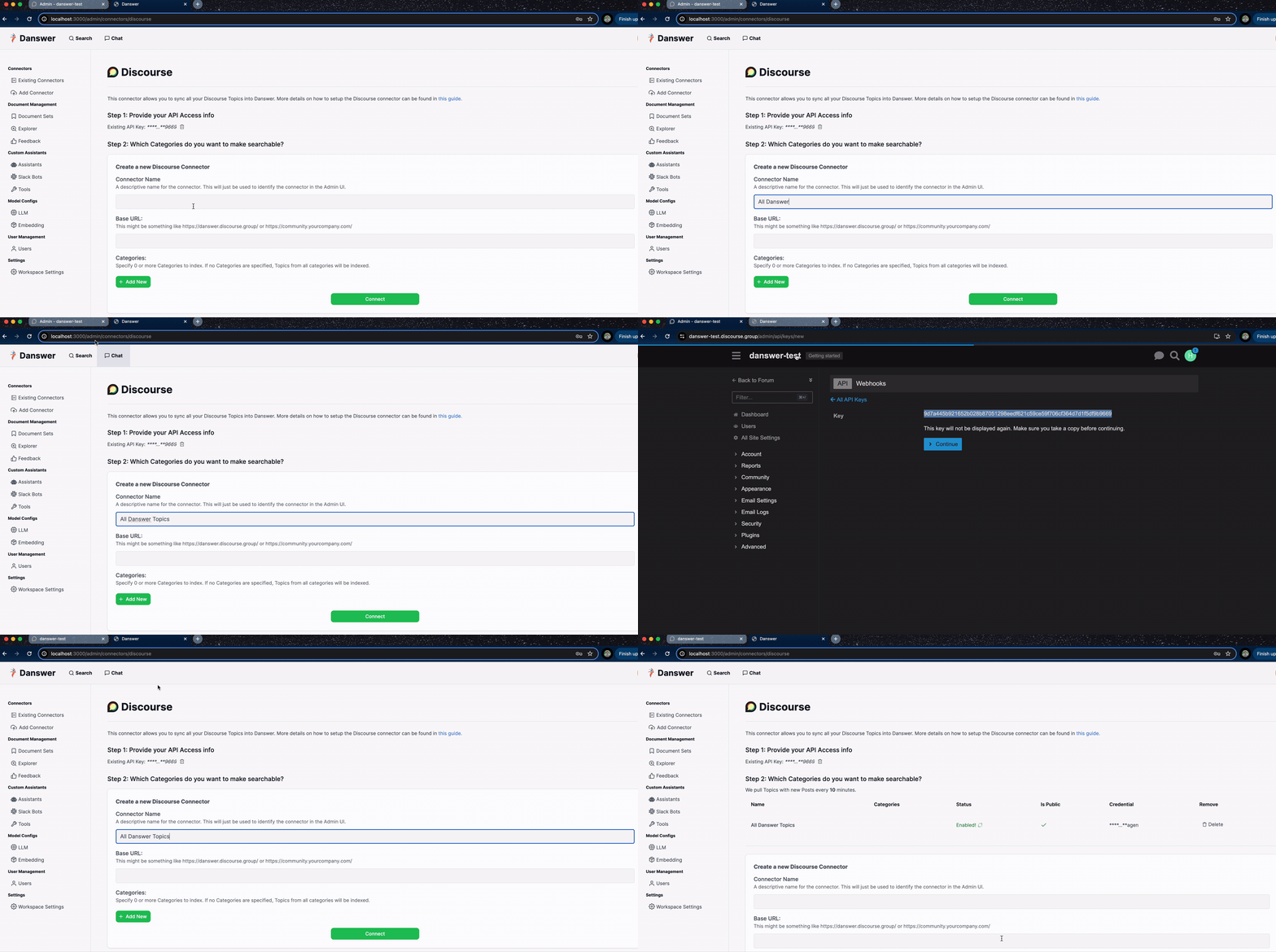 Enter the **Topics** you wish to index. If left blank, all topics available will be indexed.
Click connector to begin indexing the indicated **topics**.
Enter the **Topics** you wish to index. If left blank, all topics available will be indexed.
Click connector to begin indexing the indicated **topics**.