> ## Documentation Index
> Fetch the complete documentation index at: https://danswer-mintlify-deep-research-1773355783.mintlify.site/llms.txt
> Use this file to discover all available pages before exploring further.
# Actions & MCP
> Extend the capabilities of Onyx Agents
## Overview
**Actions** give Agents the ability to interact with external systems.
Onyx comes with 4 built-in Actions and allows users to configure additional ones via
[OpenAPI](https://en.wikipedia.org/wiki/OpenAPI_Specification)
and [Model Context Protocol](https://modelcontextprotocol.io/) (MCP).
The built-in Actions include:
| Name | Description | Requires Config | Provider Choices |
| ---------------- | ----------------------------------------------------------------------- | --------------- | ----------------------------------------- |
| Internal Search | Search through your organization's indexed documents and knowledge base | Yes | Built-in with swappable components |
| Web Search | Search the internet for real-time information and current events | Yes | Google, Serper, Exa, Firecrawl (optional) |
| Code Interpreter | Execute Python code, analyze data, and generate visualizations | No | Built-in |
| Image Generation | Create images from text descriptions using AI models | Yes | OpenAI, Azure OpenAI |
## Custom Actions
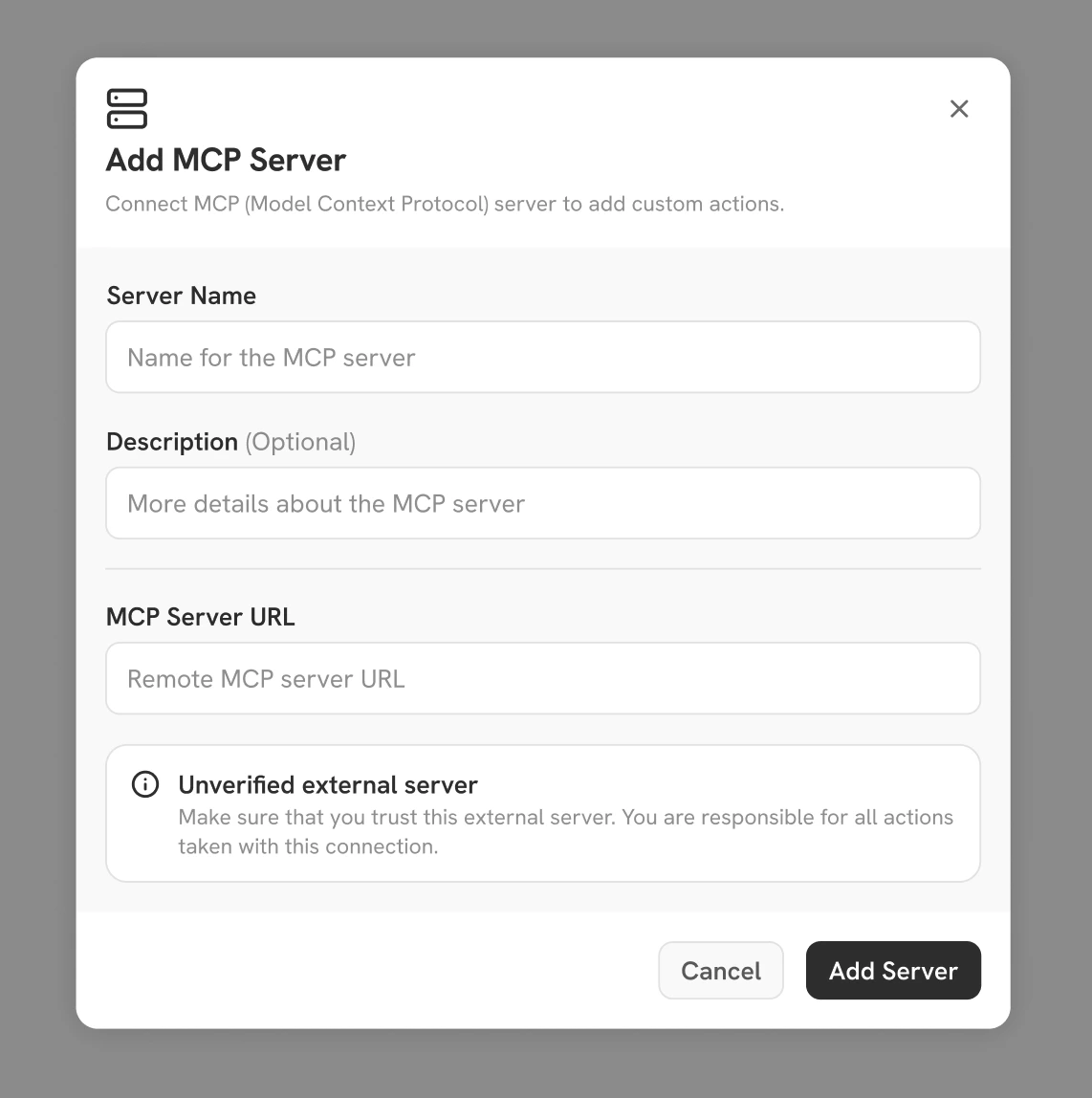 Onyx offers flexible options for configuring both custom Actions and their associated authentication.
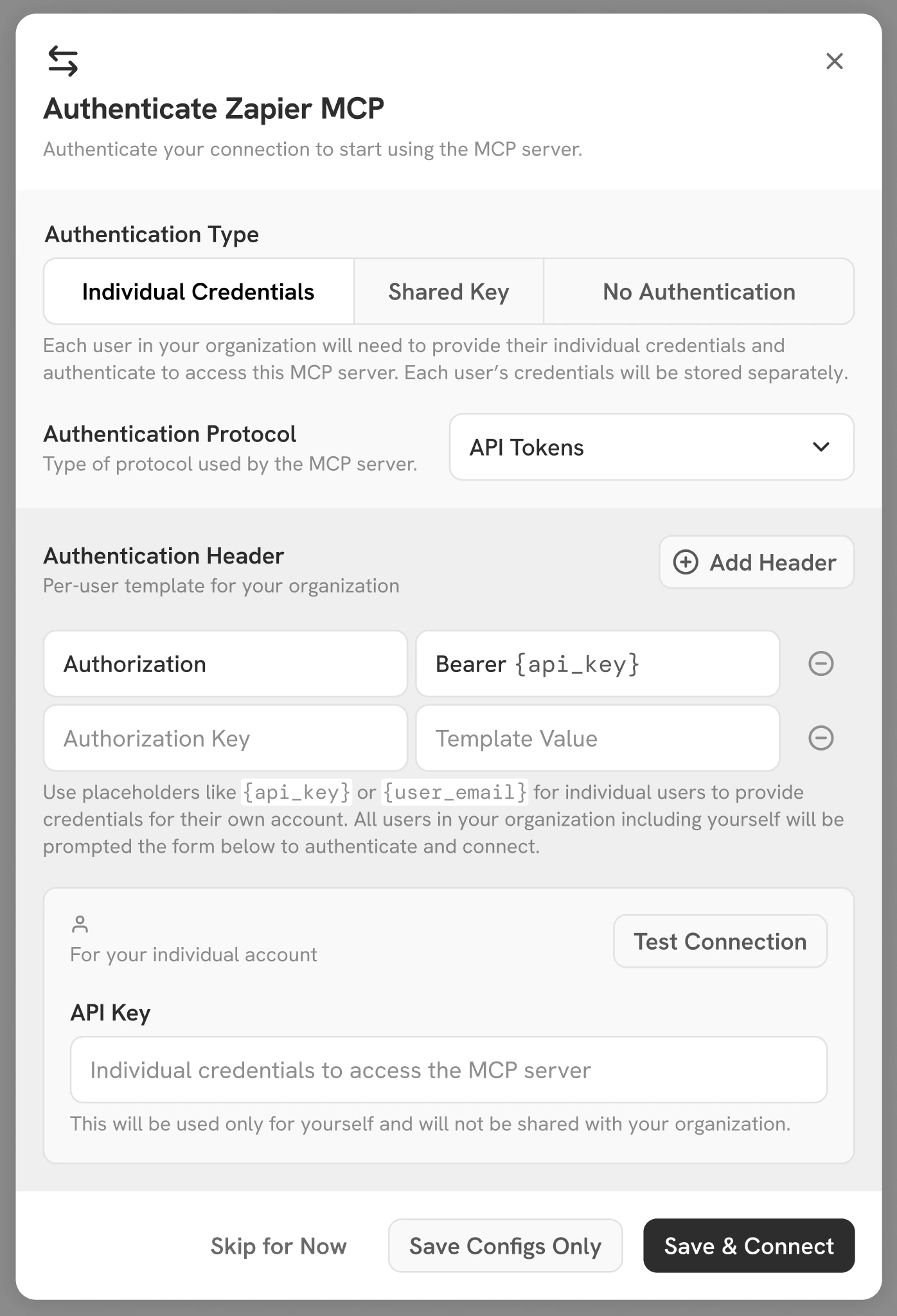
Admins can choose to:
* Use a single shared authentication, giving all users the same level of access to Actions.
* Require each user to complete their own authentication flow, so Actions respect individual user permissions.
Onyx supports both token-based authentication and OAuth.
Onyx offers flexible options for configuring both custom Actions and their associated authentication.
Admins can choose to:
* Use a single shared authentication, giving all users the same level of access to Actions.
* Require each user to complete their own authentication flow, so Actions respect individual user permissions.
Onyx supports both token-based authentication and OAuth.
 ## Actions Button
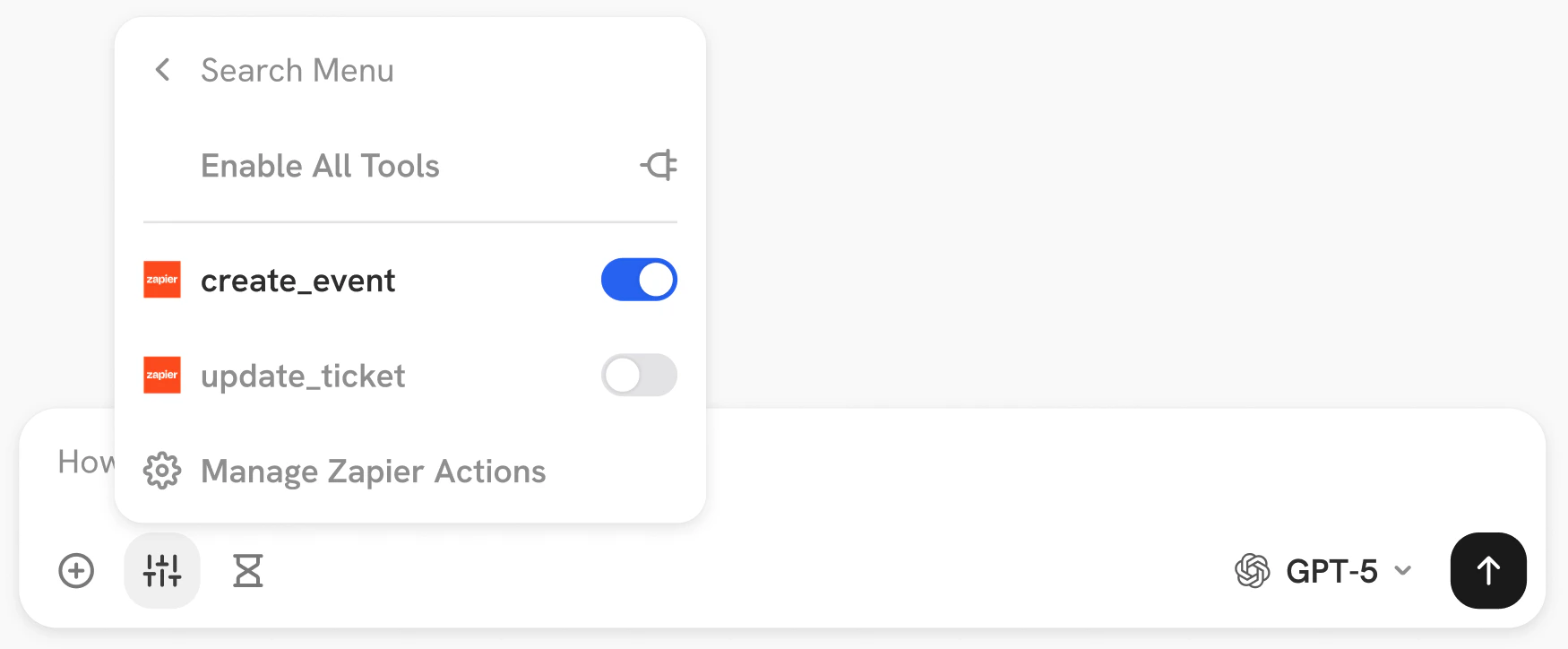 In the Chat input bar, Actions are grouped by the MCP server or OpenAPI schema they are registered with.
Users have the flexibility to turn on/off the Actions that the Agent/LLM has access to on the fly.
In the Chat input bar, Actions are grouped by the MCP server or OpenAPI schema they are registered with.
Users have the flexibility to turn on/off the Actions that the Agent/LLM has access to on the fly.