

How it works
The GitBook connector will pull in all the documentation content from your specified GitBook spaces.Setting up
Authorization
1
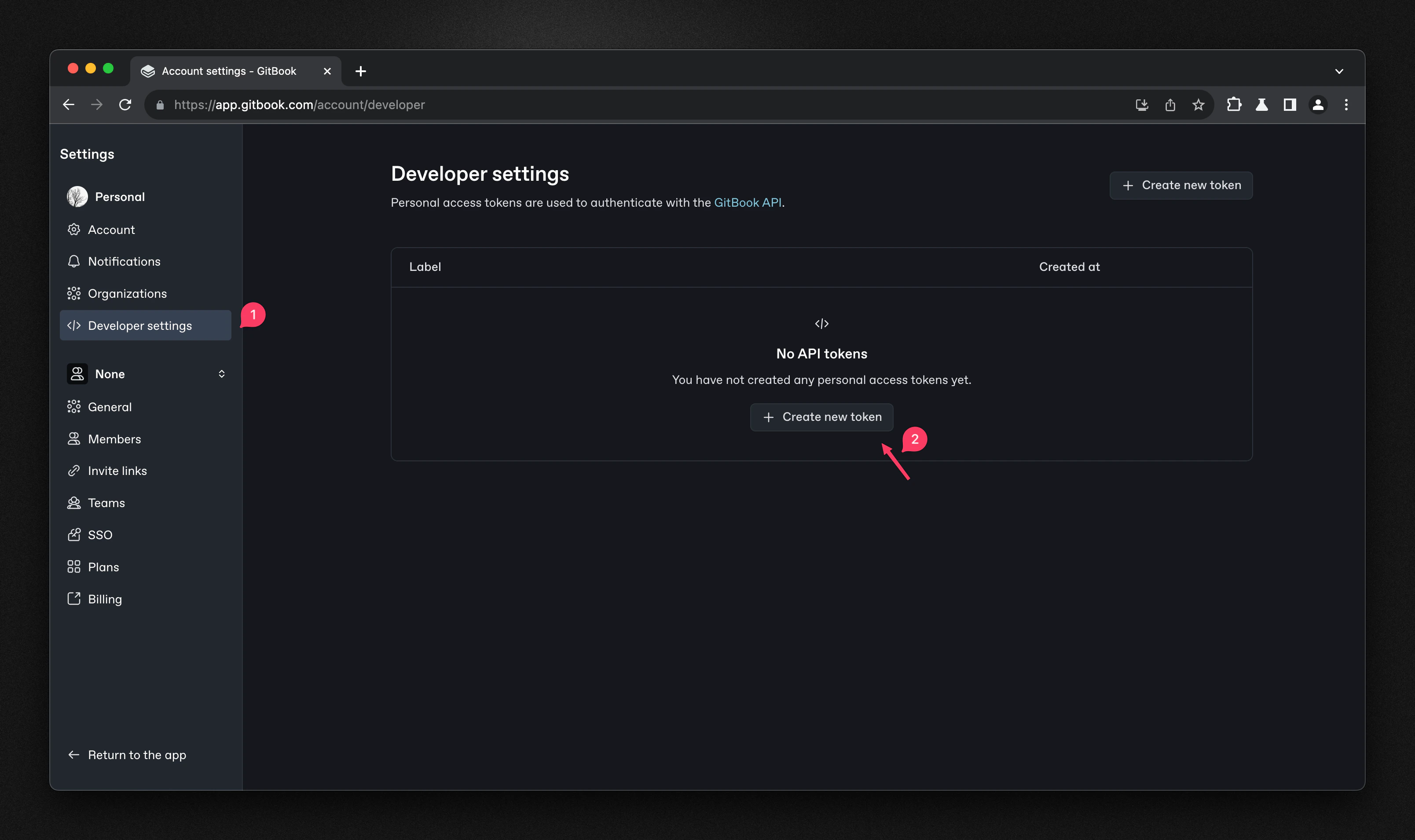
Open Developer settings
Go to your GitBook account settings and navigate to ‘Developers’ section (https://app.gitbook.com/account/developer)
2
Create API token
Click on ‘Create new token’. Give your token a name and select the appropriate scopes.
Click ‘Create’ to generate your API token.
3
Copy and store token
Copy and save your token securely — you won’t be able to see it again.
Indexing
1
Open GitBook connector
Navigate to the Admin Panel and select the GitBook Connector
2
Enter API token
In Step 1, paste your API Token from the previous step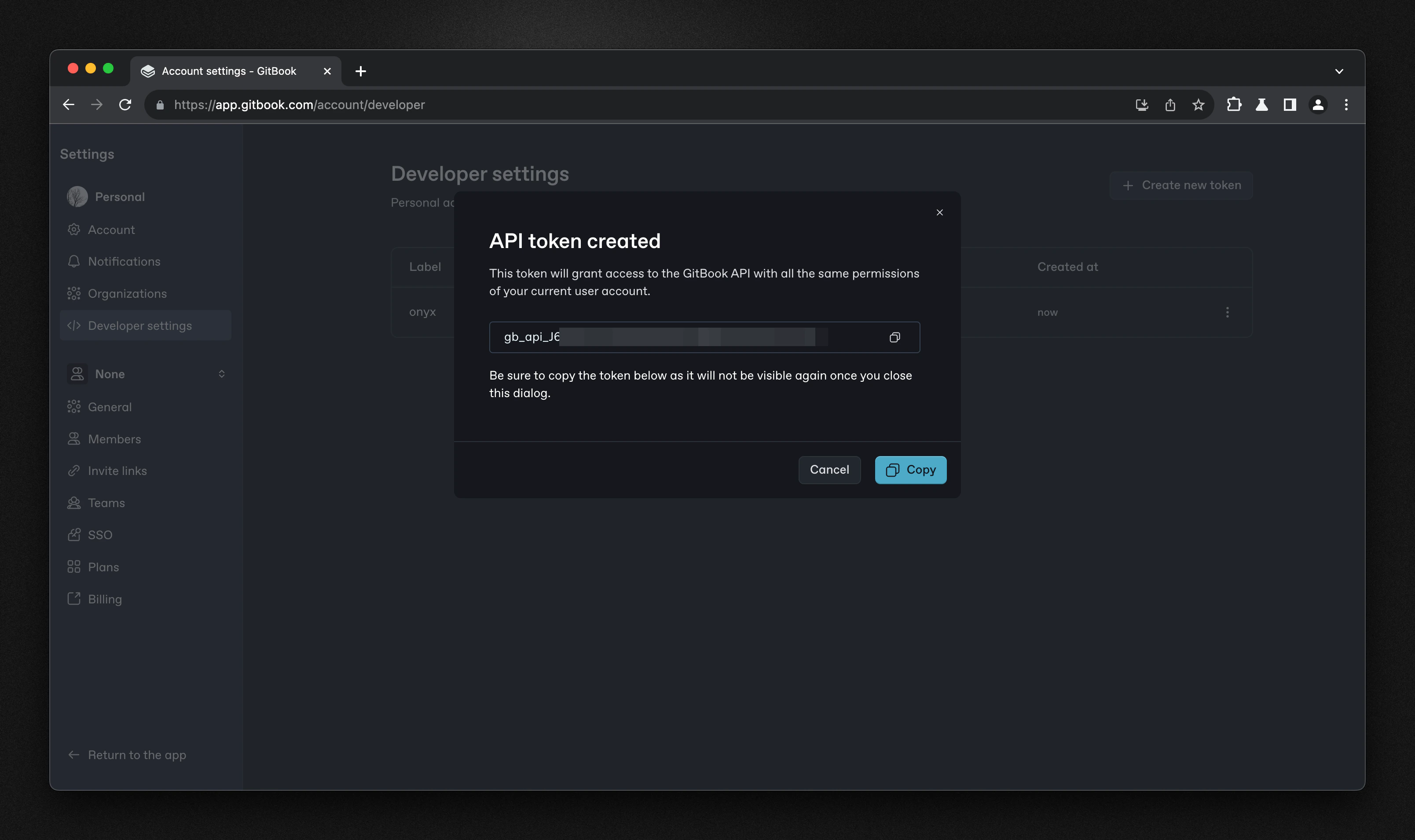
3
Enter Space ID and connect
Enter your Space ID - you can find this in the URL of your GitBook space (e.g.,
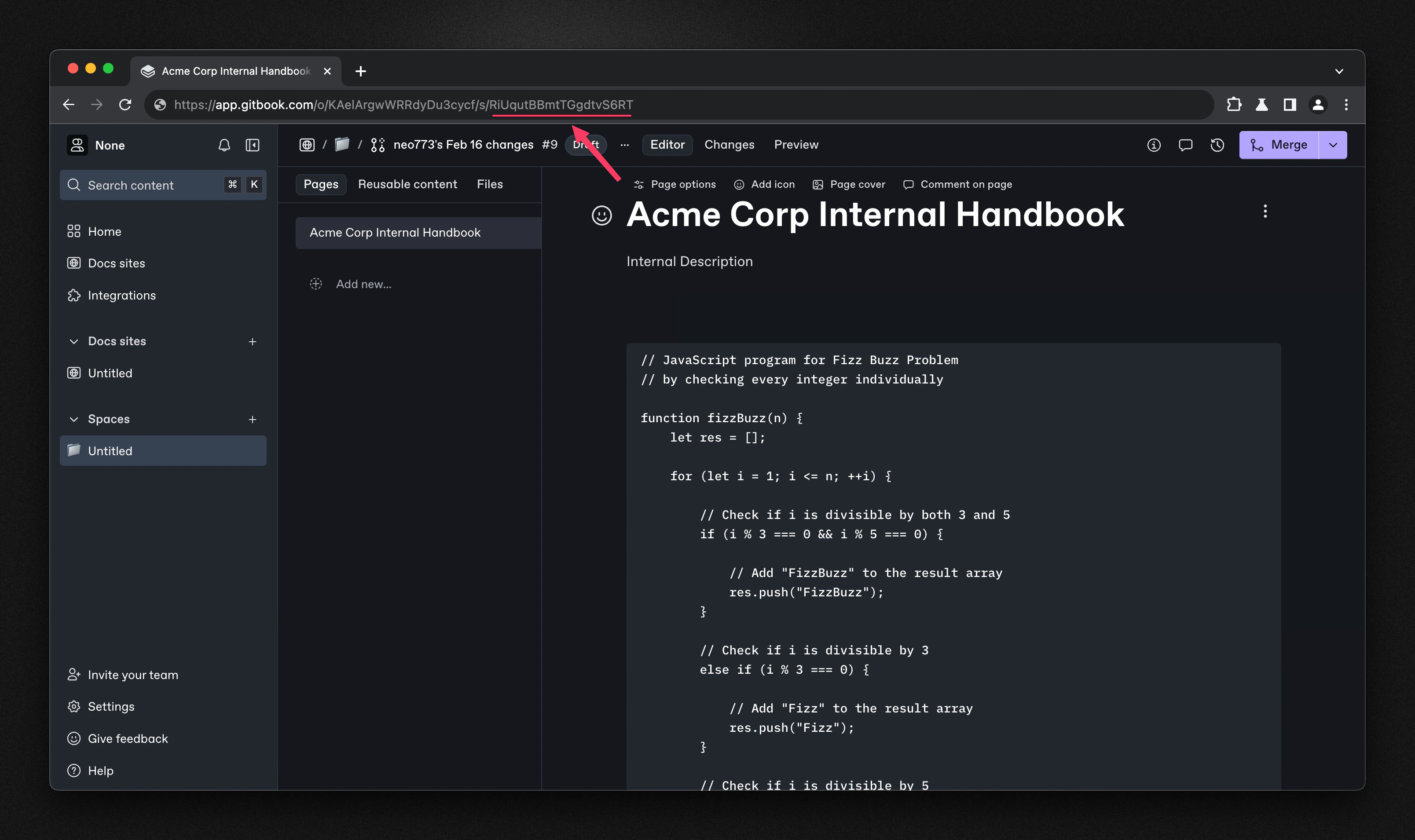
https://app.gitbook.com/o/<organization>/s/<space-id>). Click ‘Connect’ to begin indexing your GitBook content.