
How it works
The Zulip connector pulls in all streams and topics according to the permissions assigned to the bot user.Setting up
Authorization
1
Understand Zulip bot auth
Onyx interfaces with Zulip as a Zulip Bot which is authenticated using the
zuliprc config format.
For more context directly from Zulip, refer to the following docs:2
Create a Zulip Bot
Start by creating a Zulip Bot.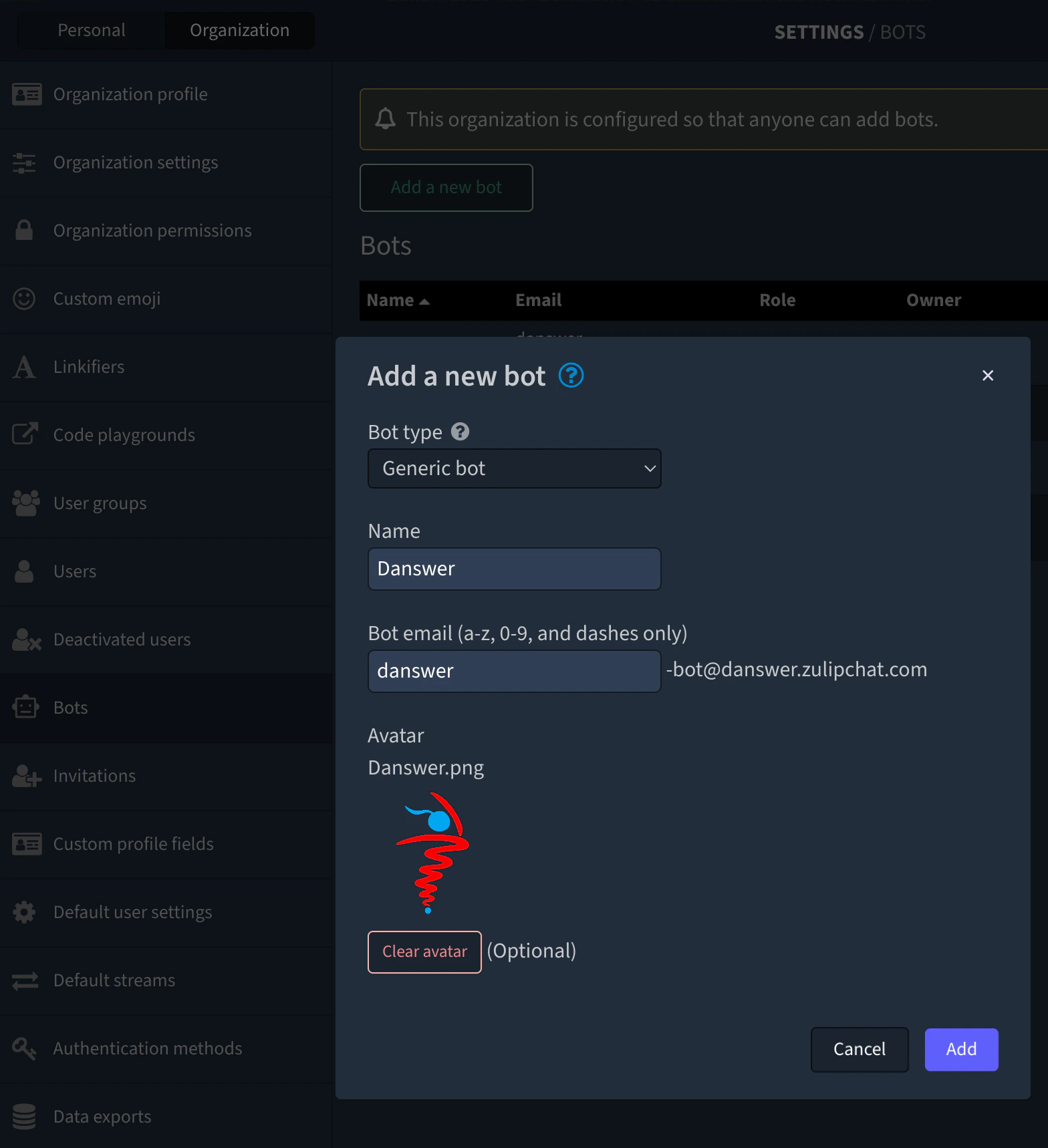
3
Copy zuliprc contents
Copy the Bot authentication info (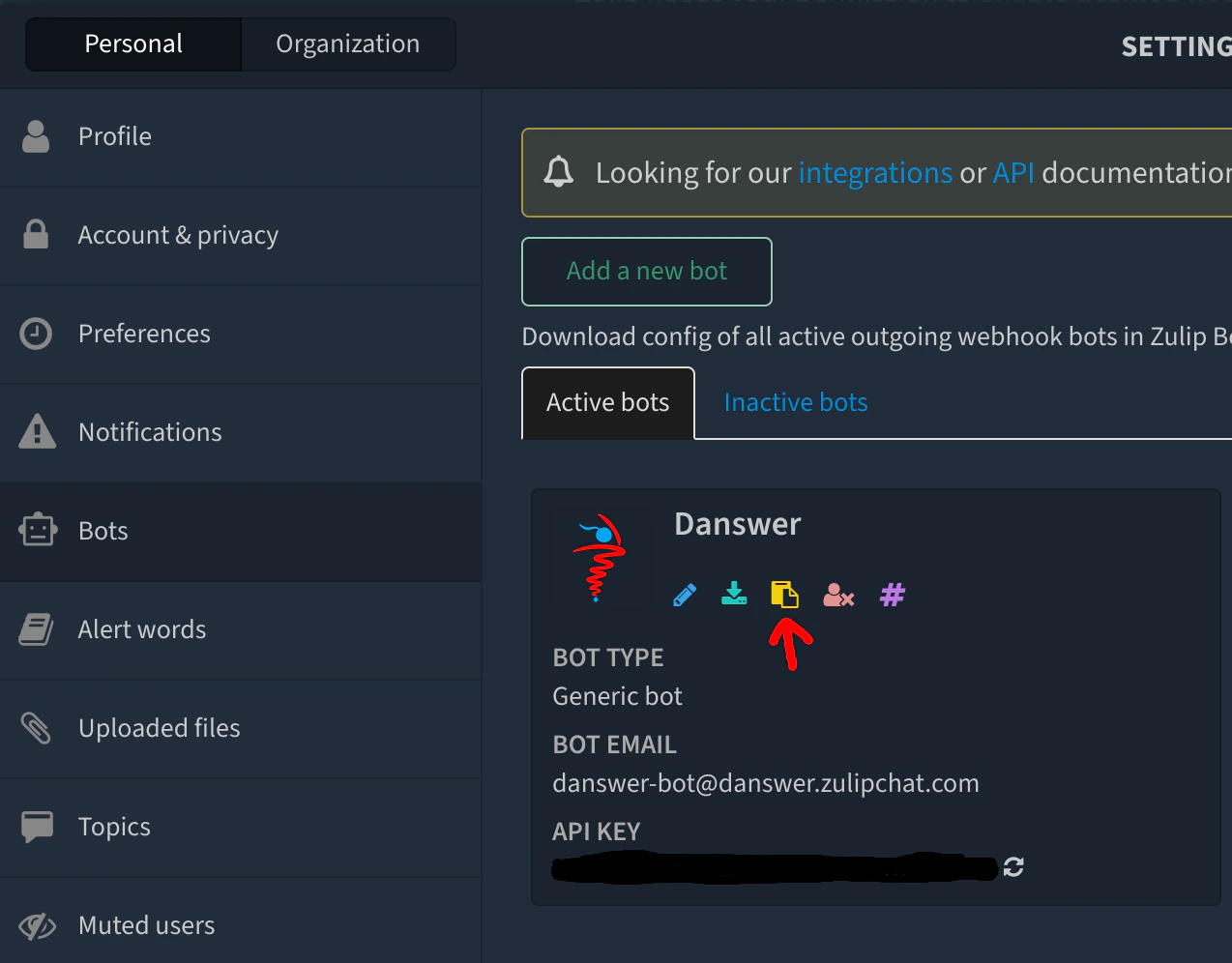
zuliprc contents), see red arrow below:Indexing
1
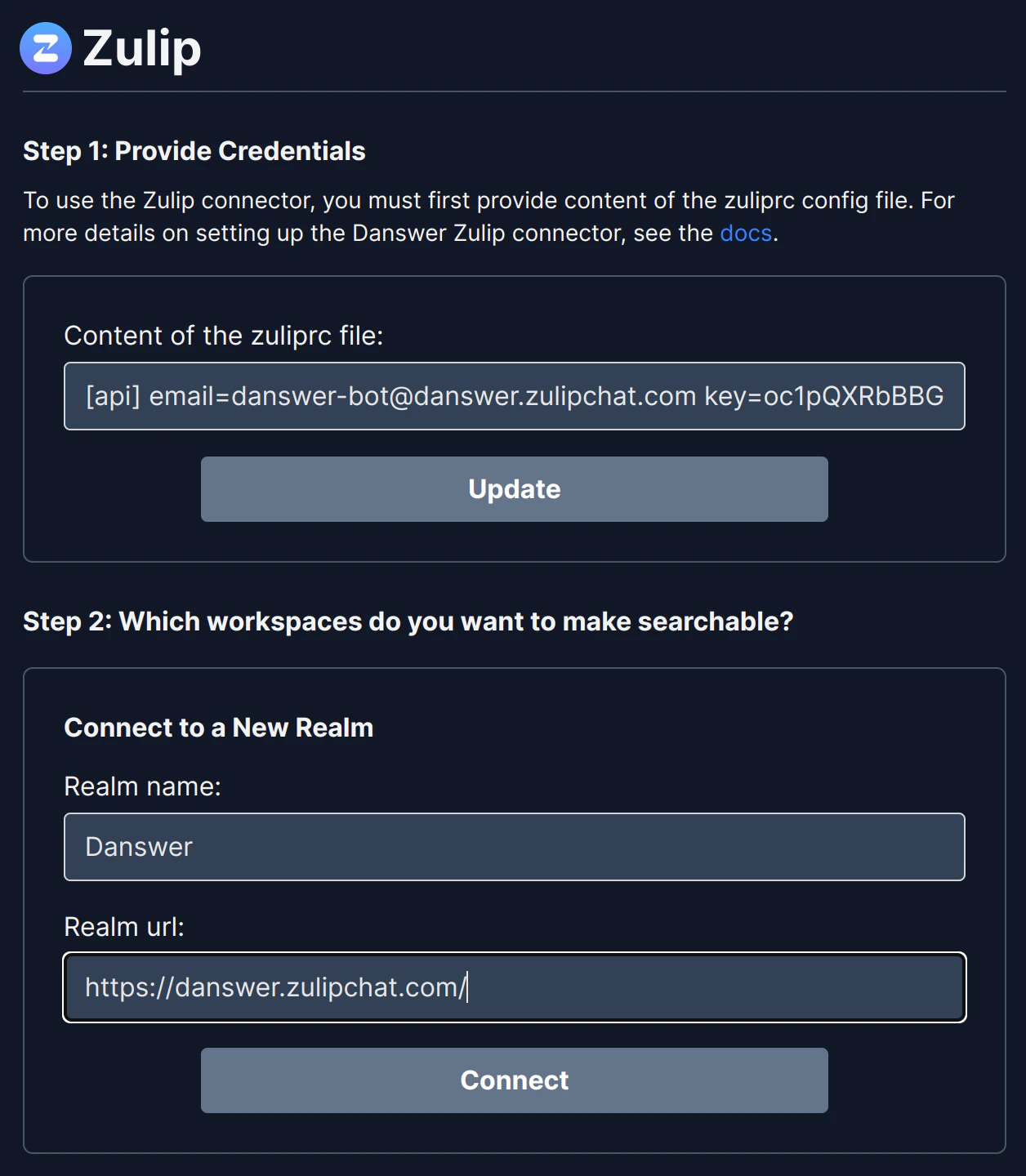
Open Zulip connector
Navigate to the Admin Panel and select the Zulip Connector
2
Paste zuliprc
In Step 1, paste in the copied
zuliprc value3
Get Realm/URL
Grab your Zulip Realm/URL info, see below: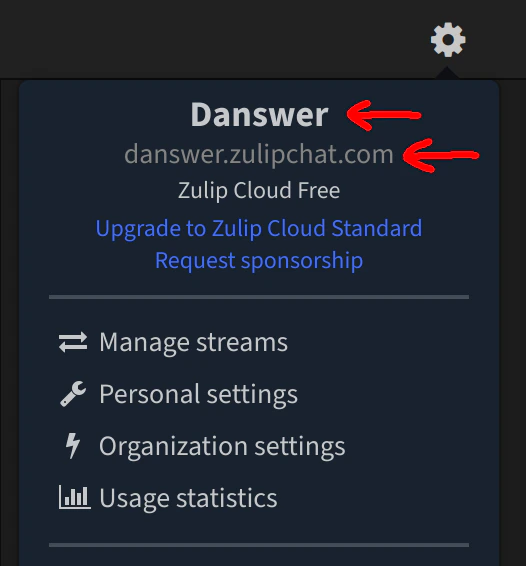
4
Enter Realm and URL
In Step 2, provide the values for the Realm and URL