
Authorization
1
Create Google Cloud Project
2
Enable required APIs
Enable the Google Drive API, the Admin SDK API, the Google Docs API, and the Google Sheets API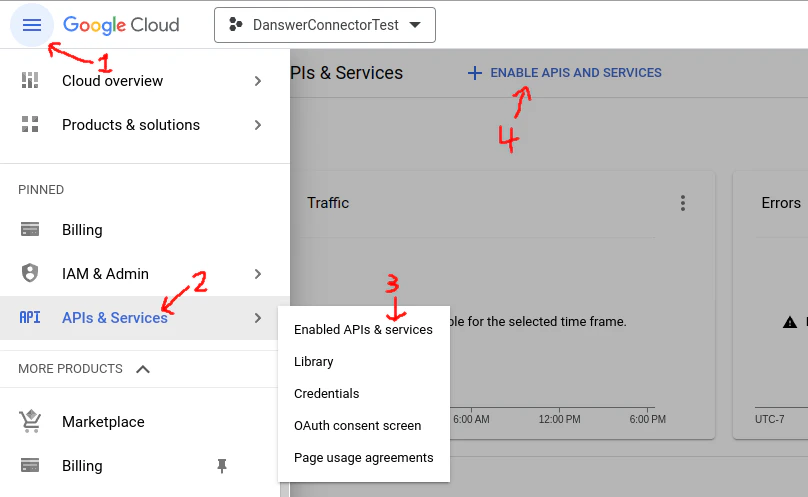
- On the left panel, open APIs & services
- Go to Enabled APIs and services
- On the top click +ENABLE APIS AND SERVICES
- Search for Google Drive API and click ENABLE
- Alternatively visit this link, select your project and enable the Google Drive API
- Search and enable: Admin SDK API, Google Sheets API, Google Docs API
3
Create Service Account
- Go to the Service Account management page in Google Cloud.
- Click
Create Service Accountbutton and fill out the fields in step 1. You can ignore steps 2 and 3. - Go to the
Keyssection, and clickAdd Key. Download this key, you will need to upload it to Onyx later.
- To give the service account the proper permissions you will have to navigate to this link
- Then select
Manage, selectOverride parent's policyand then selectNot enforcedunderRules. - Finally, select
SET POLICY
4
Grant domain-wide delegation
Give this Service Account read-only access to Google Drive
- Copy the
Unique IDof the Service Account - Go to the Domain-wide Delegation page in the Google Admin Console.
- Click
Add new, fill in the client ID with theUnique IDof the Service account - Copy this comma separated list of scopes and paste it into field
OAuth scopes:https://www.googleapis.com/auth/drive.readonly,https://www.googleapis.com/auth/drive.metadata.readonly,https://www.googleapis.com/auth/admin.directory.group.readonly,https://www.googleapis.com/auth/admin.directory.user.readonly
Indexing
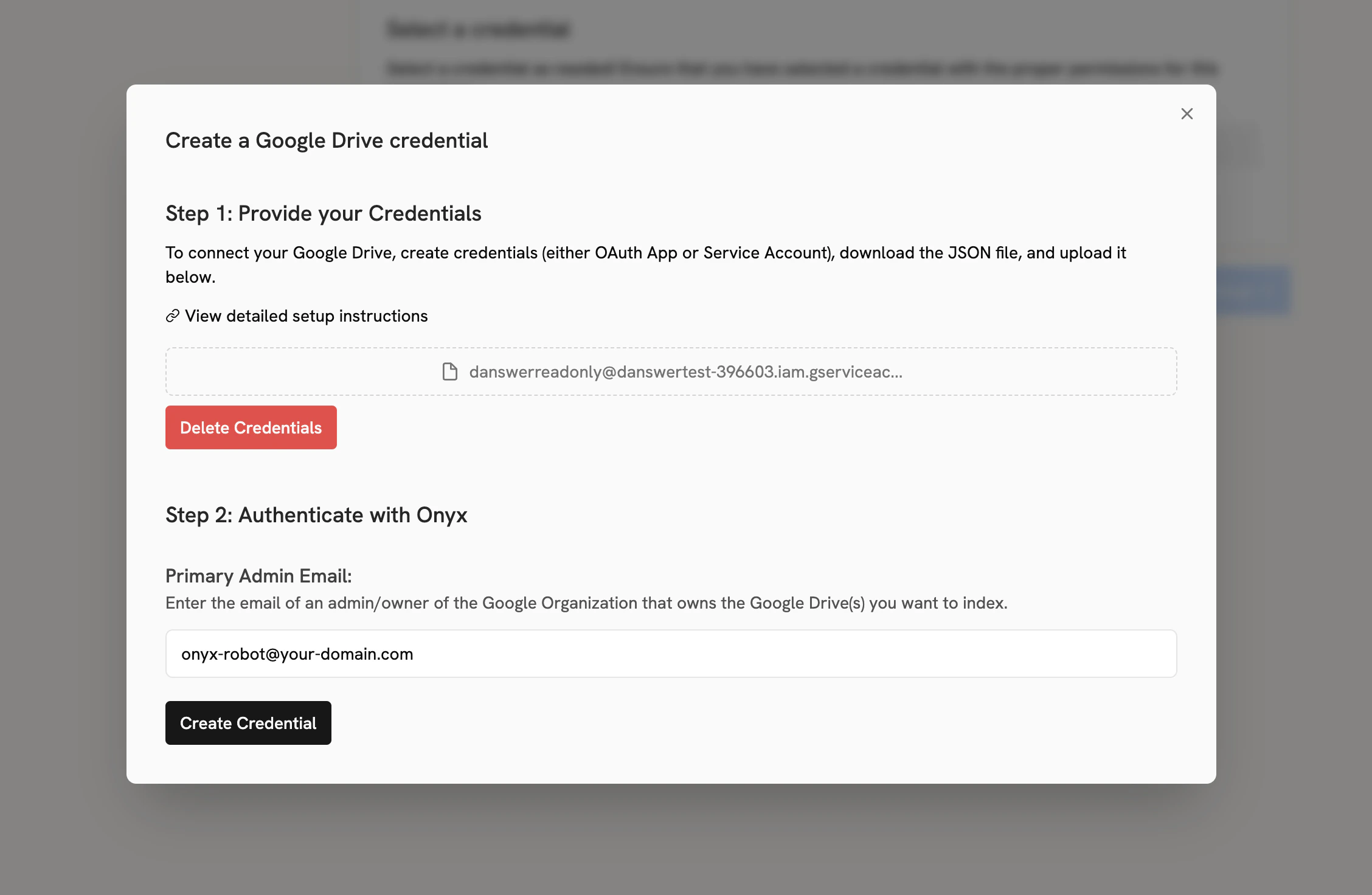
First, navigate to the Admin Panel and select the Google Drive connector. Then, create a new credential, then upload the key you downloaded in step 6. For the Primary Admin Email, use the email of a user that:- Has access to
Drive and Docsin Google Workspace - Has the following admin permissions:
- Admin console privileges -> Services -> Drive and Docs -> Settings
- Admin API privileges -> Users -> Read
- Admin API privileges -> Groups -> Read
- Admin API privileges -> Organization Units -> Read
onyx-robot@your-domain.com). Note that this should NOT be the service account email.
This can be configured by an admin in the admin panel of the Google Workspace under Account > Admin roles.